Introduction
You open the headers of a message that landed in spam and read `spf=pass`, `dkim=pass` and then `dmarc=fail` on the same line. Your SPF record checks out, the DKIM key is published, and the setup guide said that was everything. It looks like a receiver bug. It almost never is.
DMARC fails while SPF passes when the domain SPF checked is not the domain in your From address. SPF and DKIM each verify some domain on the message; DMARC only counts a pass when that domain matches the one your recipient sees. That match is called alignment, and fixing a DMARC fail with an SPF pass means getting at least one of the two to pass for your own domain.
Why DMARC Fails When SPF Passes
Every message carries several domains, and they are easy to confuse. DMARC is about one of them, the domain in the visible From header, which RFC 9989 calls the Author Domain (§4.2). The other two are what SPF and DKIM authenticate:
| Domain | Where it lives | Who checks it |
|---|---|---|
| From domain | The From header your recipient sees, e.g. [email protected] | DMARC, as the domain to protect |
| MAIL FROM domain | The SMTP envelope sender, copied into the Return-Path header | SPF. DMARC uses only this identity from SPF, never HELO (RFC 9989 §4.4.2) |
| DKIM signing domain | The d= tag of a DKIM-Signature header | DKIM. Any one aligned signature is enough (§4.4.1) |
So an email platform that sends your mail with its own bounce address, say [email protected], gets a genuine SPF pass for sendingtool.example. That pass says nothing about example.com, so DMARC ignores it. RFC 9989 explains why it has to be this way: anyone can publish SPF for their own domain and get a pass, so only an aligned pass proves the right to use yours.
Find The Mismatch In The Authentication-Results Header
The receiving server records its verdicts in an Authentication-Results header. Here is a typical failing one, with documentation addresses:
mx.example.net;
  spf=pass [email protected];
  dkim=pass header.d=sendingtool.example;
  dmarc=fail (p=quarantine) header.from=example.com
Line up three values: smtp.mailfrom, header.d and header.from. Both passes belong to sendingtool.example, while From is example.com. Neither shares an organisational domain with From, so neither aligns, and DMARC fails even though nothing is misconfigured on the sending service's side.
Relaxed Vs Strict Alignment
DMARC has two levels of matching, set separately for SPF (aspf) and DKIM (adkim). Relaxed is the default for both. RFC 9989 defines relaxed as sharing the same organisational domain and strict as being identical (§3.2.10), and notes that nearly every domain owner finds relaxed enough (§4.4).
| Authenticated domain | From domain | Relaxed | Strict |
|---|---|---|---|
| example.com | example.com | Aligned | Aligned |
| bounce.example.com | example.com | Aligned | Not aligned |
| example.com | sales.example.com | Aligned | Not aligned |
| sendingtool.example | example.com | Not aligned | Not aligned |
The third column is why most fixes work: point a sending service at a subdomain of yours and relaxed alignment treats it as yours. The fourth column is why strict alignment causes self-inflicted failures, which comes up again below.
Four Common Causes Of DMARC Alignment Failure
A Sending Service Uses Its Own Return-Path
Marketing platforms, help desks and billing tools often handle bounces on their own domain. SPF passes for them, not you. Most offer a custom Return-Path or bounce domain: you add a CNAME such as bounce.example.com pointing to them, and SPF then passes for a subdomain of yours.
DKIM Signs With The Provider's Domain
Many services sign every message with their own key until you set up your own. The signature verifies, but d= is their domain, so DMARC treats it like no DKIM at all. The fix is the service's custom DKIM or domain authentication setting, which gives you a selector to publish under _domainkey.example.com.
Strict Alignment With A Bounce Subdomain
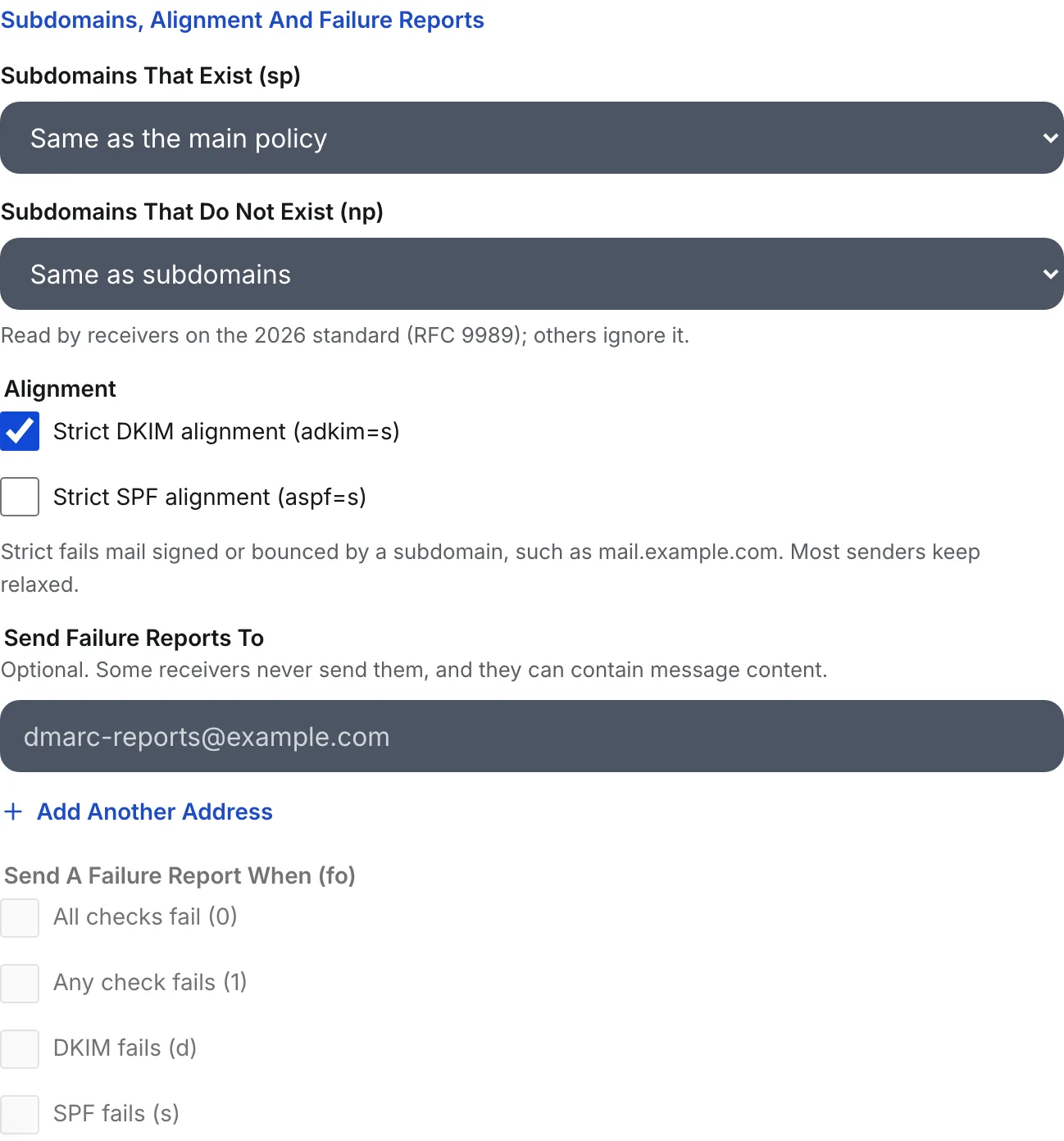
A record with aspf=s requires the Return-Path domain to equal the From domain exactly. The moment a service uses bounce.example.com, SPF stops aligning. If your record has aspf=s or adkim=s and you did not choose it for a specific reason, remove it and fall back to relaxed.
Forwarding Broke SPF And There Is No Aligned DKIM
A forwarded message reaches the final server from the forwarder's IP, so SPF fails or passes for the forwarder. RFC 9989 §7.4 notes that DKIM signatures generally survive such relays. A message with an aligned DKIM signature still passes DMARC after forwarding; one that relied on SPF alone does not.
How To Fix DMARC Alignment By Hand
- Send a test message from each service to a mailbox you control and read its Authentication-Results header. Note
smtp.mailfrom,header.dandheader.fromfor each. - For every service where
header.dis not your domain, turn on its custom DKIM and publish the record it gives you. This is the fix that survives forwarding. - Where the service supports a custom Return-Path, set it to a subdomain of yours, so SPF aligns as well.
- Check your DMARC record for
aspf=soradkim=sand remove them unless you need them. - Send again and confirm
dmarc=pass. Then watch your aggregate reports for a week to catch services you did not test.
Alignment also matters beyond your own policy. Google's sender guidelines require that, for direct mail, the From domain aligns with either the SPF domain or the DKIM domain, for anyone sending more than 5,000 messages a day to Gmail accounts.
DMARC Alignment Questions
Do SPF And DKIM Both Need To Align For DMARC?
No. One aligned pass is enough. DMARC passes if SPF passes for an aligned MAIL FROM domain or any DKIM signature passes for an aligned signing domain. Having both is still worth it: SPF tends to break when mail is forwarded, while an aligned DKIM signature usually survives the trip, so DKIM is the one that keeps forwarded mail passing.
Should I Use Strict DMARC Alignment?
Usually not. Strict alignment requires an exact domain match, so mail signed or bounced through a subdomain such as mail.example.com fails DMARC even though it is yours. RFC 9989 notes that nearly all domain owners find relaxed alignment sufficient. Choose strict only when you must keep a subdomain you do not control from speaking for the parent.
Does The Reply-To Address Affect DMARC?
No. DMARC evaluates only the domain in the From header. Reply-To, Sender and the Return-Path are not the domain it protects, although the Return-Path domain is what SPF checks. Using a different Reply-To is fine for DMARC; just make sure the address in From is on the domain you authenticated.
Why Does DMARC Fail For Only Some Of My Messages?
Because different messages take different paths. Mail from your mailbox provider may align while a newsletter tool, a CRM or an automated invoice does not. Forwarded copies can fail when the original passed. Your aggregate reports group results by sending IP, which shows which source is failing and whether SPF or DKIM is the part that is not aligned.
How SendCanyon Handles This
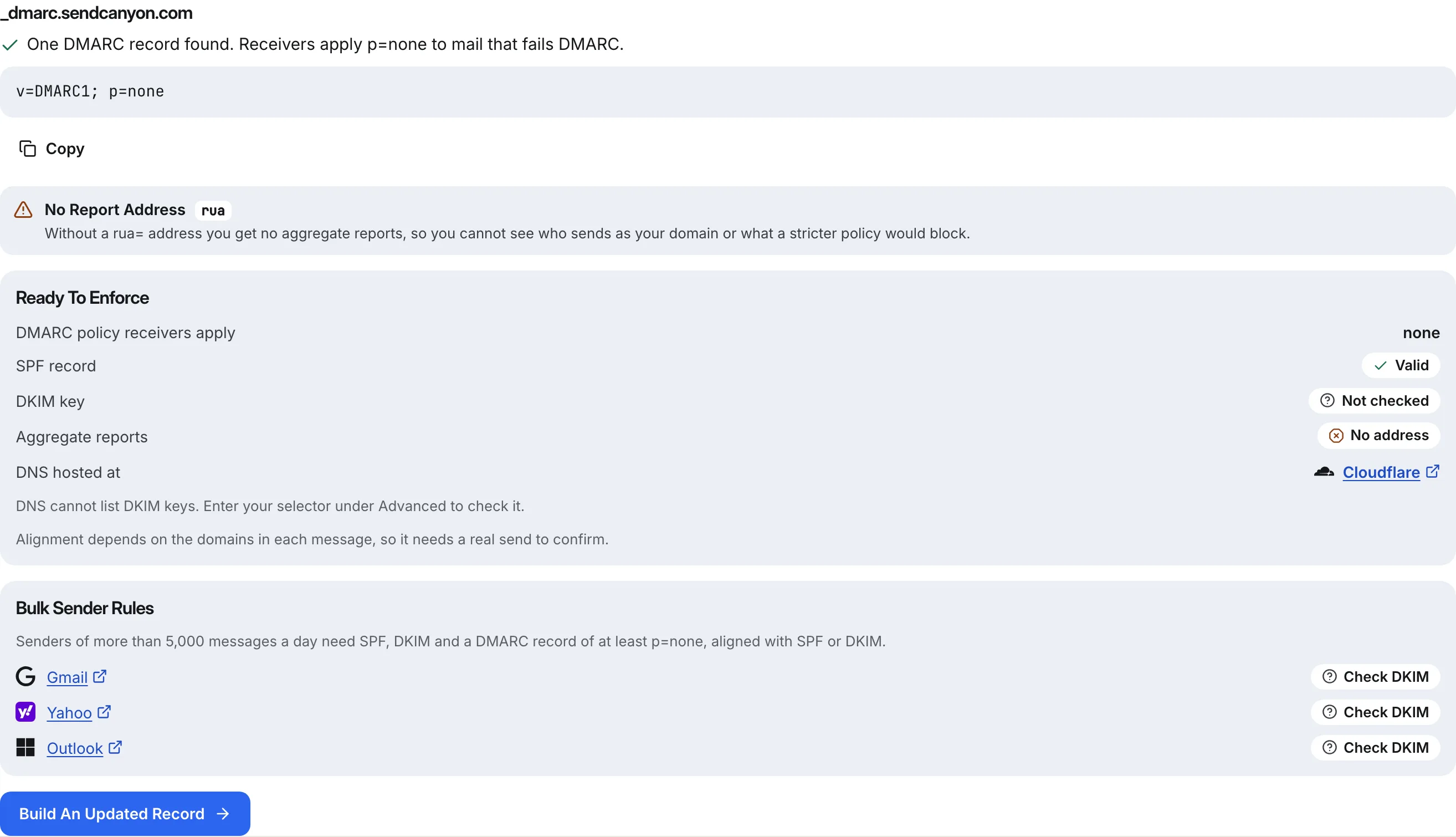
Alignment depends on the domains in a real message, so DNS alone cannot prove it. The free DMARC record generator says exactly that: its Check tab reads your record, SPF and DKIM key, and states that alignment needs a real send to confirm. Its advanced options keep alignment relaxed unless you tick strict for DKIM or SPF, and the moment you do, it warns that strict fails mail from your own subdomains.
To check the message itself, paste its headers into the free email header analyzer, which shows the receiver's SPF, DKIM and DMARC results and whether the bounce and DKIM domains align with From. In SendCanyon, an inbox placement test evaluates a message you actually send: it shows the From address next to the envelope sender, then the SPF, DKIM and DMARC results, and when DMARC fails for lack of an aligned pass it says so and gives the fix. When you connect a domain, SendCanyon lists the SPF and DKIM records for your mailbox provider and keeps campaigns off any mailbox whose domain has not verified. For the bigger picture, read SPF, DKIM and DMARC explained for founders.
Keep reading
- DeliverabilityBIMI Logo Not Showing? Seven Causes And How To Fix EachBIMI logo not showing in Gmail, Apple Mail or Yahoo? Check these seven causes in order, from DMARC policy to certificate, with the exact command for each one.7 min read
- DeliverabilityPlain Text Or HTML For Cold Email? What We MeasuredWe sent one cold email through a spam filter as plain text, clean HTML, HTML-only and bloated HTML. HTML itself cost nothing; what it carried in did.8 min read